
Store it with the folder it concerns
And keep it as long as the question could arise: the duration of a contract, a guarantee, a claim period.
Use case
The certificate records what happened to your share. The deposit archive, on the other hand, allows you to show what exact content you had deposited. It is given to you only once, at the end of the send: here is why it matters and how to keep it.
The certificate establishes that content has been made available and then delivered. One question remains, often the most disputed: what was the exact content? The correct version of the contract, the signed quote, the right password?
OnlyU cannot answer this question alone, and that is by design. Your content is encrypted on your device before it leaves: the service has never read it, and it does not have the key that would allow it to read it. It therefore cannot testify to what it contained.
What it can do, and does, is keep the fingerprint of what it received. The rest belongs to you: this is the deposit archive.
A fingerprint is a short summary calculated from content — a string of numbers and letters, always the same length. It behaves like a fingerprint:
So it answers only one question, but with certainty: is this exactly that content? The fingerprint of your send appears in the certificate, and it is protected, like the rest of the ledger, by date tokens from an outside organization.
When your send is complete, and before handing you the link, the screen offers you the option to download an archive, named onlyu-depot-…zip. It contains:
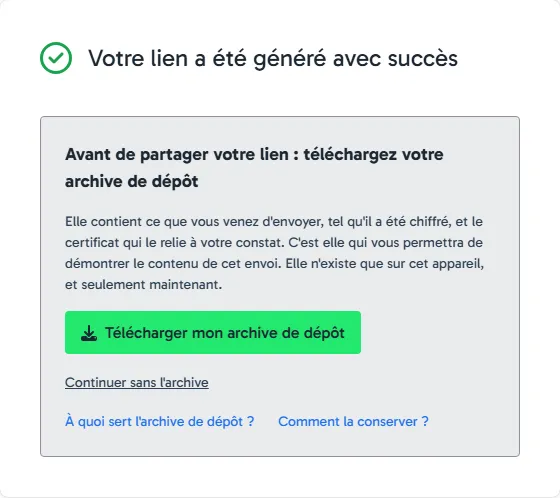
You might think it is enough to keep the file you sent. This is not always the case, because what leaves is not necessarily what you started with:
Now the fingerprint does not forgive the slightest difference. The archive, on the other hand, contains the exact bytes that were encrypted: it is the one, and only one, that will allow you to find the fingerprint of the certificate, even years later.
The archive contains your content and the key that opens it: it is as sensitive as the document itself. A few simple rules:
And keep it as long as the question could arise: the duration of a contract, a guarantee, a claim period.
On a medium you control: a backup drive, your company's document space.
OnlyU will never ask you for it. You will show it only on the day you need to prove it, to the person responsible for checking.
If you had used one, it does not appear in the archive: it will be necessary to replay the encryption.
You then have two pieces that match:
If the fingerprint recalculated from your archive is identical to that of the certificate, the link is established: the content of your archive is indeed the one that was deposited on that date. And this matching happens without us: neither your content nor your key are transmitted to us.
To do it yourself, the verification page accepts the certificate and, if you are the sender, your deposit archive. Everything is calculated in your browser tab: nothing is sent to our servers.
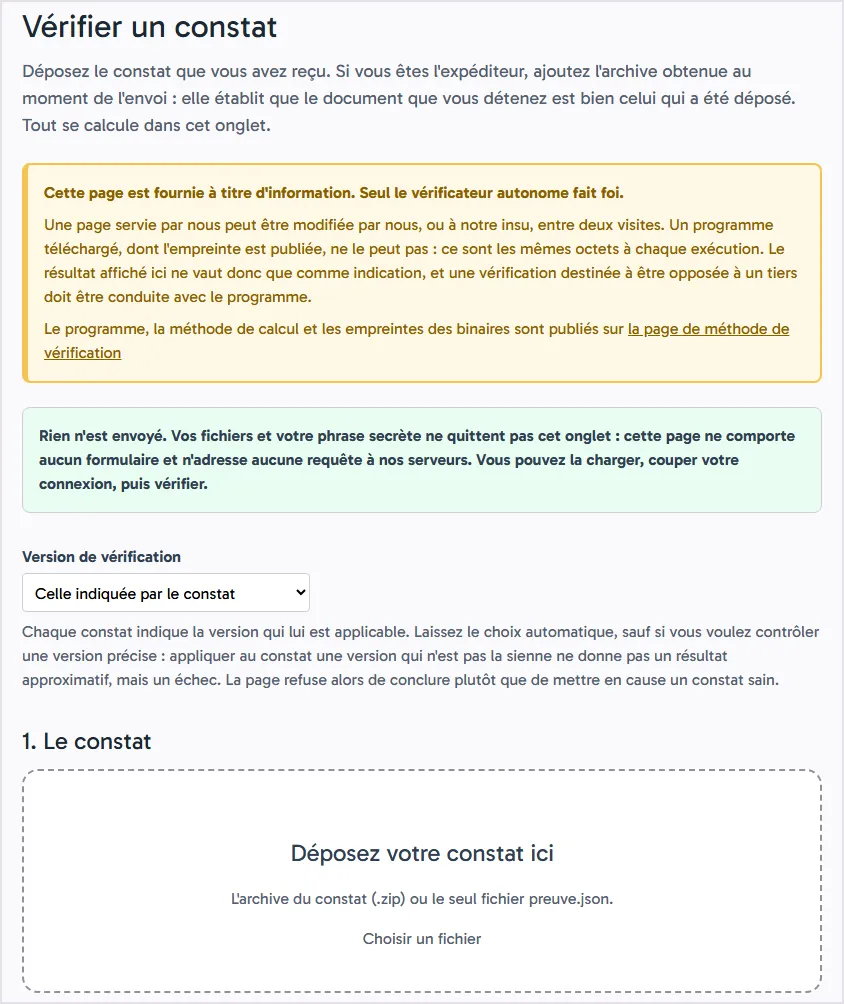
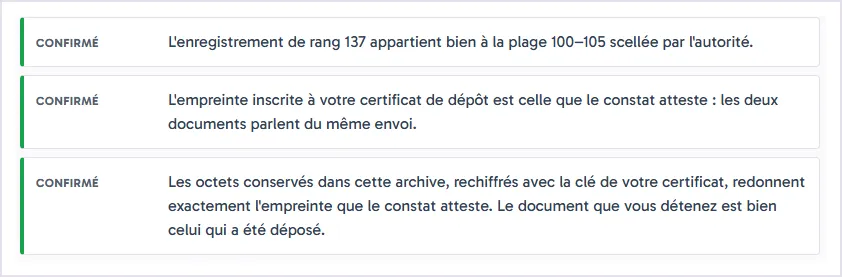
Together, the certificate and the archive make it possible to demonstrate that this specific content was deposited on a date certified by an outside organization, then made available and, where applicable, delivered.
They do not say that the content is true, or that the recipient read it: they establish what was deposited and what became of it. For a document sent as a file, the verification page stops at fingerprint matching; the standalone program and, if necessary, an expert go further.
To be able to prove what, and not just when: